What's new in 4.0

A redesigned editor, a command line for coding agents, profiles, and a side panel.

A redesigned editor

Rebuilt from the ground up, now with dark mode.
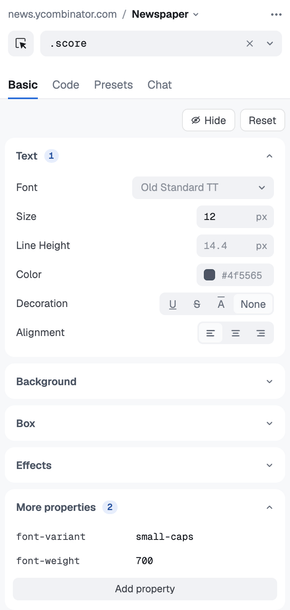
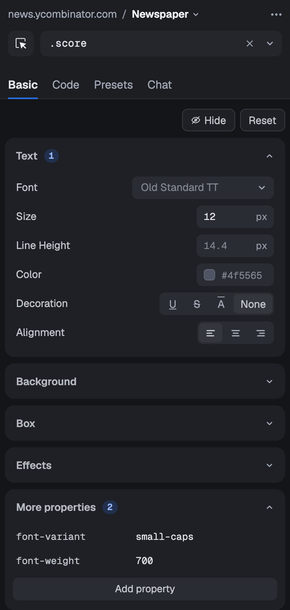
  • Grouped controls that show the page's own values
  • Better selector generation, with selectors that keep working when a site updates and others to choose from
  • Shows when another rule overrides a value
  • Color palettes and an eyedropper
  • Preview a color or font on the page by hovering it
  • Edit any other CSS property in place under More properties
  • Undo support
The redesigned Basic tab, styling Hacker News with a Newspaper profileThe redesigned Basic tab, styling Hacker News with a Newspaper profile

Stylebot from your terminal

Control Stylebot from the command line, or let a coding agent like Claude Code, Codex or Cursor do it. The agent restyles sites right in your browser, using your own subscription instead of an API key.

$ npm install -g @stylebot/cli
Set up the CLI →

For Chrome or Edge. The command line doesn't work on Firefox yet.


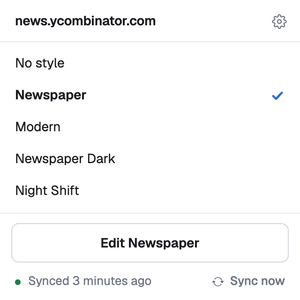
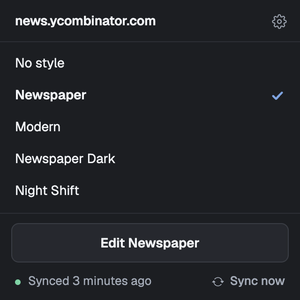
The popup on a site with two profiles, Dracula and GruvboxThe popup on a site with two profiles, Dracula and Gruvbox

Profiles

Keep several looks for a site and switch between them from the editor or the popup.
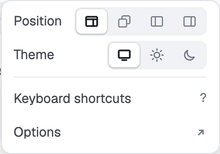
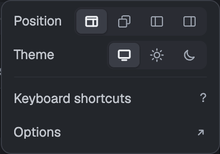
The editor’s menu, with Position set to the side panelThe editor’s menu, with Position set to the side panel

The side panel, or its own window

In Chrome and Edge the editor opens in the side panel. Or pop it out into its own window, from Position in the editor’s ⋯ menu.
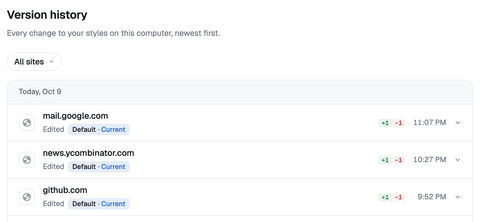
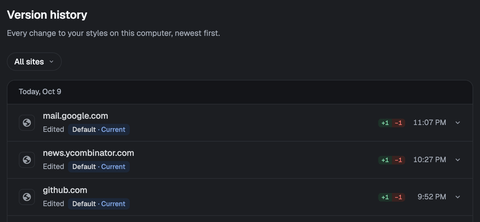
Version history in Options, newest change firstVersion history in Options, newest change first

Version history

Every change is kept, and you can restore any earlier version.
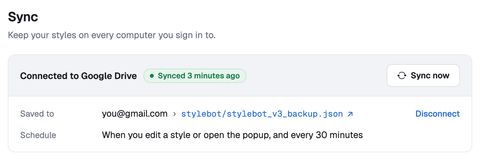
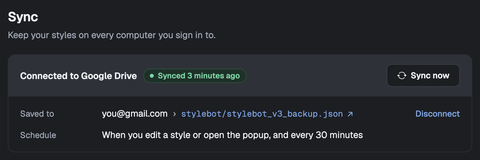
Options, connected to Google Drive and syncedOptions, connected to Google Drive and synced

Sync

Google Drive sync is more robust. Edits from different computers are merged, so none get lost. It runs on its own every 30 minutes and right after you edit.
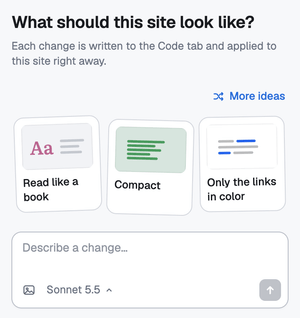
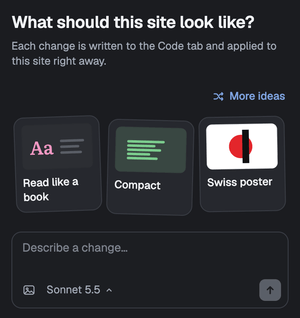
The Chat tab suggesting looks for the page: Cozy, Calm, and Only the links in colorThe Chat tab suggesting looks for the page: Cozy, Calm, and Only the links in color

Chat

No coding agent? Describe what you want, or pick a suggested look, and Stylebot writes the CSS. Bring your own Claude, OpenAI or Gemini key.

And more

  • A new stylebot.dev
  • A new Stylebot icon
  • Styles now apply inside shadow DOM, so they work on sites built with web components
  • Stylebot's shortcuts now live in your browser's shortcut settings. In Chrome and Edge, any you changed are back to their defaults, so set them again there.
  • Stylebot is now available in Vietnamese

And lots of bug fixes